


What is a shared space?
Learn what the host manages and what each location keeps in a food court.
A shared space represents a physical place where several locations serve customers who share tables. It works for food courts, markets and food halls. It is not an extra kitchen or a replacement for the individual locations.
Who manages each part
A space belongs to a brand in the host organization. That organization can have its own locations in the space and host locations from independent organizations.
| Part | What it manages |
|---|---|
| Host | Space details, dining area, tables, QR codes, shared sections, building hours and shared table calls. |
| Location | Its products, prices, availability, kitchen, orders and payments. |
| Space's brand | Logo, colors and shared appearance of the food court menu. |
| Team | Only tasks allowed by their roles and, for other organizations' locations, by accepted access. |
Space
shared tables and menu
Owned location
the organization's operations
Hosted location
another organization's operations
Hosting does not transfer ownership. A location from another organization keeps its brand and management. Including it in the food court does not give the host unrestricted access.
What customers see
A shared table's QR code opens the space menu with the table selected. The page shows the food court locations and their shared sections. Customers can open a kitchen to browse its menu.
Shared sections do not automatically copy every product from each location. The host creates sections and locations add their own dishes. Each product keeps its origin and the operation that prepares it.
Orders go to the relevant location with the shared table as their location. A kitchen's hours or pause can prevent orders there even if another food court location is open.
Set up a space
- Create the space under its host brand (Create and publish a shared space).
- Fill in its details and hours.
- Invite locations under Hosting (Host locations).
- Build the Floor plan and its shared tables (The space floor plan and QR codes).
- Prepare the space menu (The food court menu), test QR codes and publish when ready.
Coordinate during service
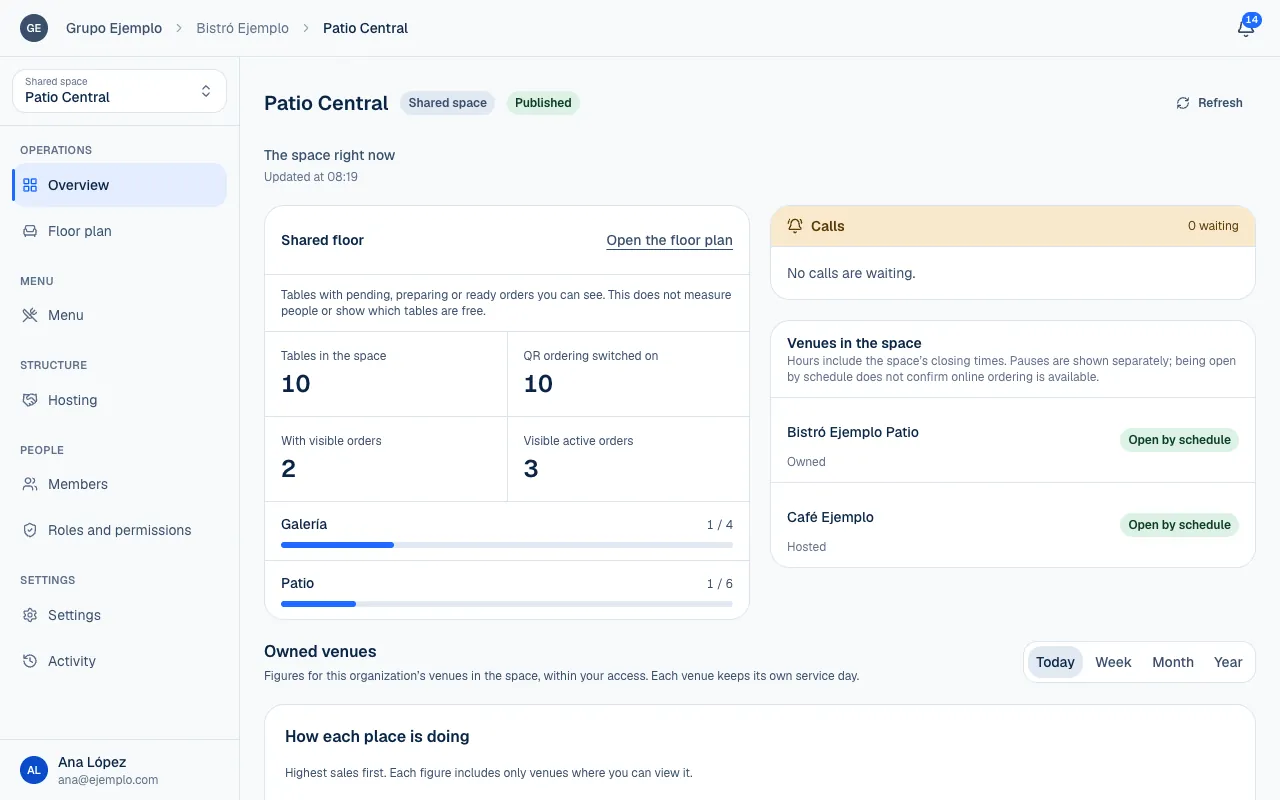
The space's Overview shows the dining area, calls and location directory according to your permissions. Tables with visible orders are not a count of seated customers; the system knows which orders you can view.
The space can turn off online orders for all its locations or set the building's hours. Turning on orders at a location does not override those restrictions. For a kitchen delay, each location can pause its own orders without stopping the others.
You can also choose whether a table call goes to the space's team or to a location the customer chooses. Agree on this before printing and placing the table cards (Space settings).
If you only manage independent branches, use brands and locations. A shared space is for locations that share a dining area and customer experience.