


Choose and review a plan
Check features, capacity and usage before choosing or changing your organization's terms.
Under the organization's settings, Plan shows what your organization includes and how much it uses. The catalog plans are Starter, Growth, Scale and Enterprise. You may also have a custom plan agreed with Piqero. Check prices and terms on screen; the catalog can change, and custom terms differ between organizations. The free trial is only for Starter and lasts 30 days; Growth, Scale and Enterprise have no trial. How you pay and when a change applies is in Manage your subscription.
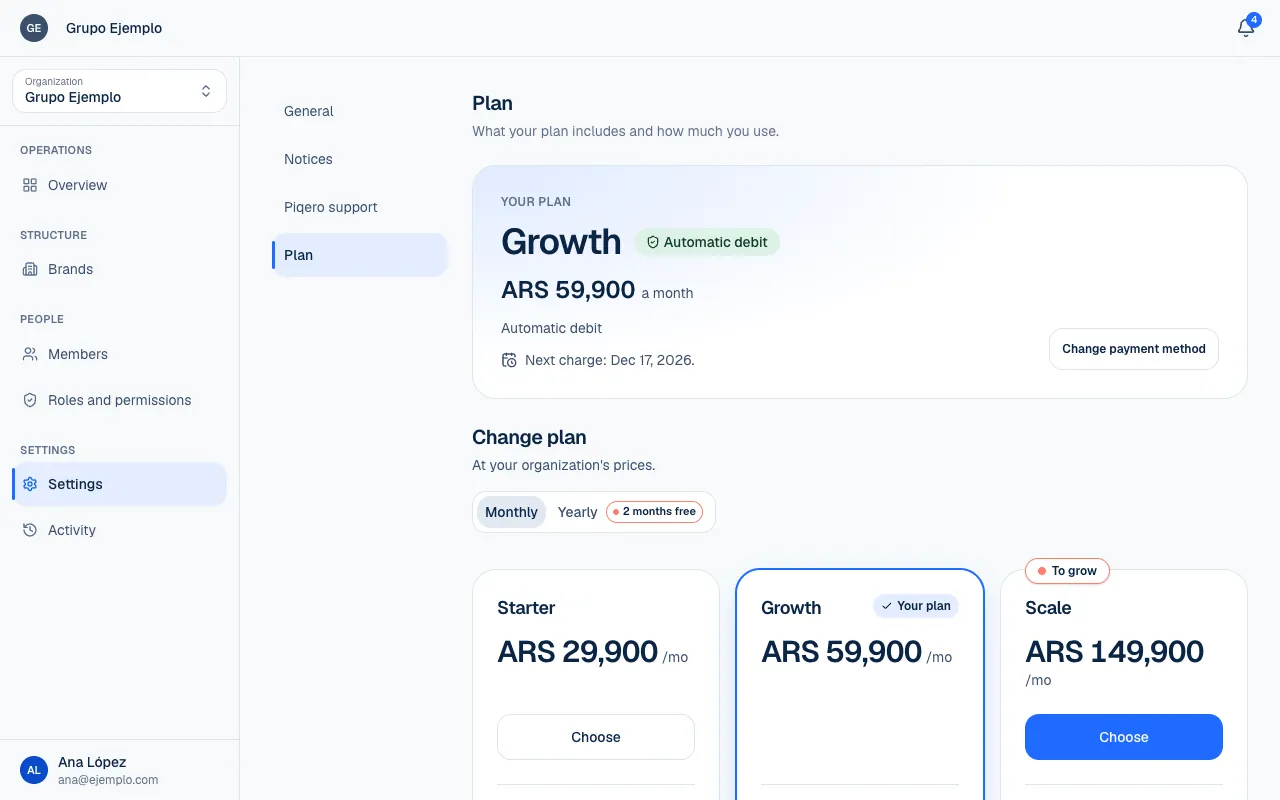
Review your plan
- Choose the organization under Switch place.
- Open Settings → Plan.
- Review Features, including any dates, and Capacity.
- Compare All plans and open the review for a change you are considering.
- Confirm only after reading the price, effective date and resulting terms.
| Feature | What it is for |
|---|---|
| Activity | See who changed what and when. |
| Exceptions per person | Give an individual permissions on top of their roles. |
| Orders | Receive customer orders and enter orders at the location. |
A feature may be Included, Not included, included until a date or expired. Having a feature in your plan does not automatically give you permission to use it; each person's role still determines their access.
Understand capacity
| Capacity | What counts |
|---|---|
| Brands | Brands that are not archived. |
| Locations | Locations using the organization's capacity. |
| Shared spaces | Spaces managed by the organization. |
| People and invitations | People, including suspended members, and pending invitations without counting duplicate emails. |
| Custom roles | Roles created, not including the automatic Owner role at each place. |
The screen shows usage against the limit or Unlimited. Someone working in several places does not count as several people in the organization total. A pending invitation can use a slot before it is accepted.
Once you reach a limit, you cannot create more of that resource (brands, people and roles). If a plan change puts you over a limit, what already exists stays available; it is not deleted for being over the limit. Restoring an archived place needs capacity too, including locations that return with a space.
Use No plan
No plan lets you keep the menu public and manage products, and includes Activity. It does not allow new orders on its own. Its current terms include one brand, one location, three people and one custom role; check Capacity for your usage.
A hosted location may be covered for orders by its host space's plan. Check the message on screen to see which locations are covered. This does not mean the organization has received all of the host's plan terms.
Custom plans
A custom plan combines agreed features, limits, price and payment terms. The screen identifies it as a custom plan. If you later choose a catalog plan, the review warns that you will lose the custom terms and may not be able to get them again.
If you see Your plan is not set up, No plan terms apply for now. Email support@piqero.app (opens in a new tab) to review the setup.
If something isn't working
- You've reached what your plan includes. You already use everything the plan includes for that capacity. Capacity shows which one. Archive what you do not use, or upgrade the plan.
- Your plan doesn't include this. If you need it, talk to Piqero. The feature is not in your plan. Compare All plans to see which one includes it.
- Your organization doesn't have a plan yet. Talk to Piqero. Email support to review it.
- This preview expired. Review the change again before confirming. Open the change review again and confirm once more.
- The terms or plan status changed. Review the new preview before confirming. Read the new review before confirming.
To sign up or ask about prices, use the contact on the plan screen. If something isn't working, email support@piqero.app (opens in a new tab). Help and support lists what to include.